> ## Documentation Index
> Fetch the complete documentation index at: https://docs.neynar.com/llms.txt
> Use this file to discover all available pages before exploring further.
# How to create frames without code using Frames studio
> In this guide, we’ll take a look at how to create Farcaster frames without writing a single line of code, using our Frames studio.
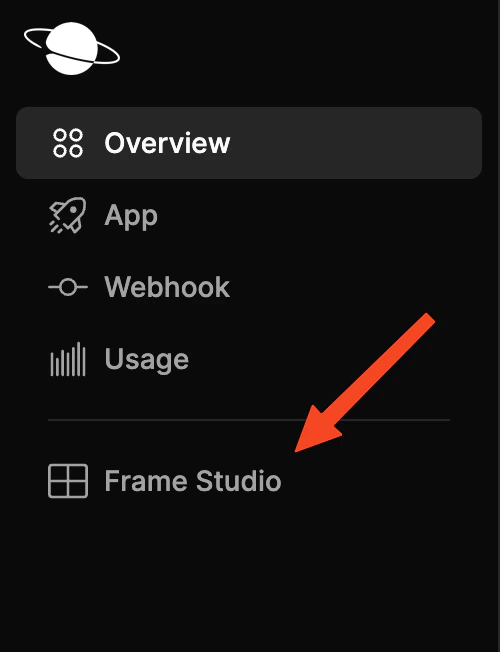
Head over to your [Neynar dashboard](https://dev.neynar.com/frames) and click on Frame studio
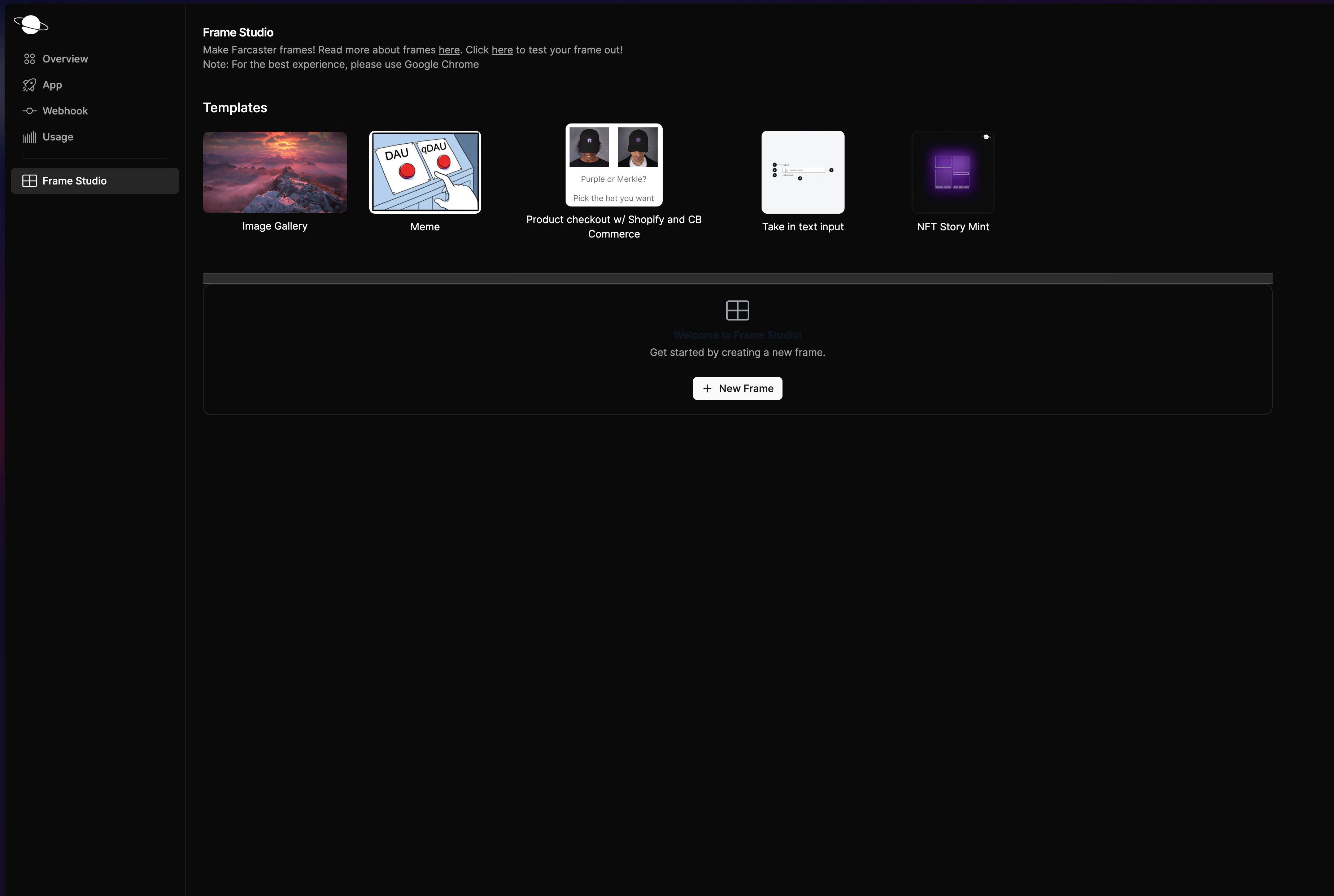
 Here, you can either create a new frame from scratch or choose one of our existing templates
 ## Related topics
- [Build Interactive Farcaster Frames with Neynar](/docs/building-frames.md)
- [Create Farcaster Frames Using Neynar & Frog](/docs/analytics-frame-neynar-frog.md)
- [Dynamic Frame Creation](/docs/how-to-create-frames-using-the-neynar-sdk.md)
- [Bot Replying with Frames](/docs/create-a-farcaster-bot-to-reply-with-frames-using-neynar.md)
- [Farcaster Frames with Analytics using Neynar & Framejs](/docs/framejs-farcaster-frames.md)
## Related topics
- [Build Interactive Farcaster Frames with Neynar](/docs/building-frames.md)
- [Create Farcaster Frames Using Neynar & Frog](/docs/analytics-frame-neynar-frog.md)
- [Dynamic Frame Creation](/docs/how-to-create-frames-using-the-neynar-sdk.md)
- [Bot Replying with Frames](/docs/create-a-farcaster-bot-to-reply-with-frames-using-neynar.md)
- [Farcaster Frames with Analytics using Neynar & Framejs](/docs/framejs-farcaster-frames.md)